· Blog · Marketing

Create AI product mockups and video ads for your menu with NHY

Turn a simple phone photo of a dish or product into a polished mockup or short video ad, then share it or add it to your QR menu — all inside the NHY app.

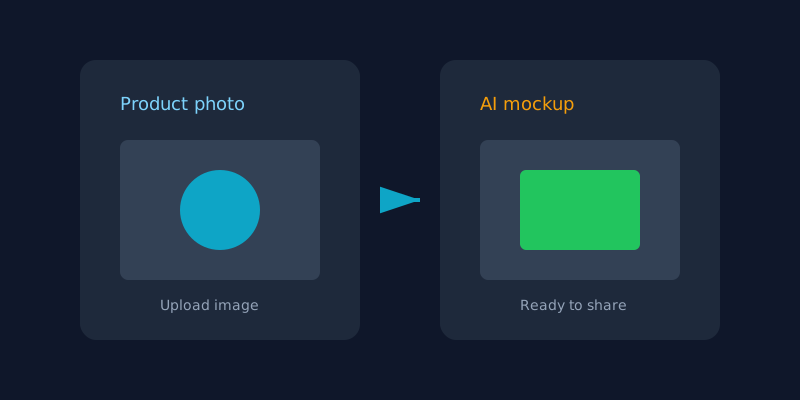
Illustration showing a product photo transforming into an AI-generated mockup
Upload a product photo, describe the look, and NHY generates a shareable mockup or video using your AI credits.

Many restaurant and cafe owners want better photos for Instagram, WhatsApp status or the QR menu, but professional shoots take time and money. NHY’s AI Marketing tools let you generate product mockups (AI Trial) and short video ads (AI Ad) from a photo you already have.

The feature is available on every plan, including Free. Generation uses AI credits. Professional plans and higher receive a monthly credit allowance that resets each calendar month; Free and Basic owners can top up credits as needed. One credit equals roughly one US dollar of generation value. Image generation costs a small fraction of a credit; video costs more per second, with an optional audio track.
How owners use it

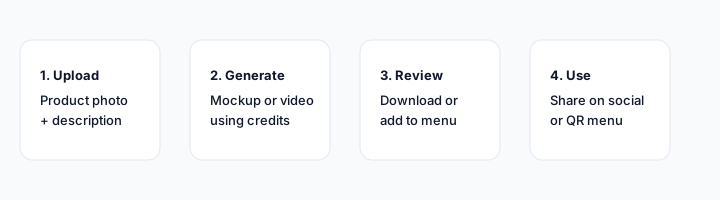
  1. Open Marketing Services (or AI Marketing) in the NHY owner app. You see your remaining monthly asset allowance and current credit balance.
  2. Choose AI Trial for a still product mockup or AI Ad for a short video. Upload one or more photos of the item. For food and beverage the app offers helpful suggestions for names and materials.
  3. Describe the style, environment or customer try-on if you want. Confirm the credit cost. The job is queued and usually finishes in a few minutes.
  4. When ready, preview the result. Download it, share it to social apps, or add it directly as a new menu item (the original asset stays in your library).
  5. Delete assets you no longer need. Failed jobs do not consume credits.
Four-step workflow: upload, generate, review, use
Typical flow from a phone photo to a shareable asset that can also become a menu item.

Which plans include it

AI product mockups and video ads are available on all five tiers. There is no plan gate that hides the screens. Generation always requires AI credits.

PlanAI product mockups & video ads
FreeAvailable; credits required
BasicAvailable; credits required
ProfessionalAvailable; credits required (includes 10.50 monthly credits)
EnterpriseAvailable; credits required (includes 25.20 monthly credits)
Enterprise PlusAvailable; credits required (higher monthly allowance)

Credits reset at the start of each calendar month for plans that include an allowance. You can also buy additional credits or connect your own AI provider account in Connectors so generation uses your account instead of Nautical credits. Image cost is approximately 0.087 credits; video is charged per second (higher with audio).

The monthly asset allowance shown in the app is a soft display limit tied to your plan; the hard control is the credit balance. Connecting your own AI account does not change the feature availability.

Practical example

A cafe owner photographs a new cold-brew bottle on the counter. In AI Trial she selects “Food & Beverage”, lets the app suggest a name, chooses a “sunkissed Mediterranean balcony” environment, and generates a lifestyle mockup. She downloads it for Instagram and also taps “Add to Menu” so the same image appears on the QR ordering page. Later she creates a 5-second video ad of the same bottle for WhatsApp status. Both jobs used a fraction of her Professional monthly credits.

Limitations and tips

Questions owners ask

Do Free plan owners get any free generations?
No automatic free allocation. You can top up credits or upgrade to a plan that includes a monthly credit allowance.

Can I use the generated image on my QR menu?
Yes. After generation, choose “Add to Menu”, pick a category and price, and the image becomes the item photo.

What if the generation fails?
Failed jobs do not consume credits. You can retry with a clearer photo or adjusted prompt.

Open NHY and try AI Marketing
MarketingCreate cinematic video ads from product photos with NHY AI Ad StudioMarketingLet customers try products virtually with the NHY Try-On KioskTablesSet up tables, floor areas and live status in the NHY Tables screen

Try NHY free

Start on the Free plan and upgrade when your store needs more.

See plans and pricingOpen the web appGet it on Google PlayDownload on the App Store